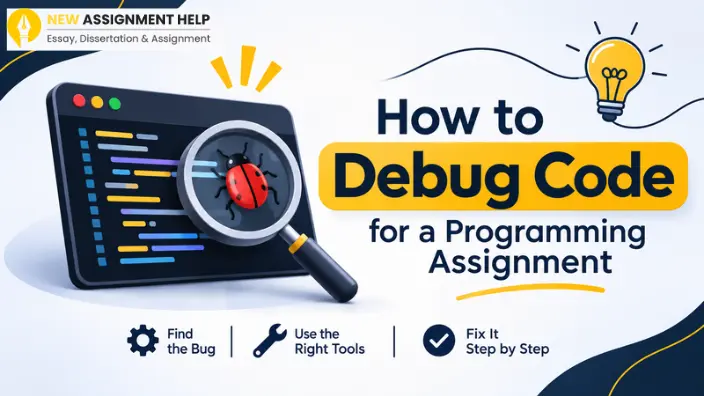
Everyone knows debugging is about finding and fixing mistakes in your code. But imagine you wrote 200 lines of code, and the moment you hit “run”, your entire screen gets filled with red text. This isn’t what you expected, right? Well, if this has happened to you, do not worry. Every programming student has been there once or more. However, this can be avoided if you have a set pattern to debug your code. This guide is here to walk you through that pattern so your next programming assignment feels calmer. First, let’s look at the kinds of bugs you may meet.
Identify the Kind of Bug You Have
Bugs fall into three major groups. When you know all of these, you have a clear idea of where to look first. The table below sums them up.
| Bug Type | What happens | Example |
|---|---|---|
| Syntax error | Code will not run at all | A missing bracket or colon |
| Runtime error | Code crashes while running | Divided by zero |
| Logic error | Code runs but gives a wrong answer | Using < when you meant <= |
If we talk about their difficulty, syntax errors are the easiest to spot, while logic errors are the hardest because nothing crashes. But know this: each type needs a different approach. So, before you try any of them, you need to read what your computer is telling you.
Read the Error Message Slowly
Most students skim the error and start changing code without any direction. Slow down instead, as the message names the file, the line number and the problem type. For example, in Python, the name of the error occurs at the last line of the traceback and the lines above show where it happened. In Java, find the first line that points to your own file and ignore the lines from built-in libraries.
If the message makes no sense, copy it into a search engine. Add your language name. Chances are another student has met it before. Once you know the error, you need a plan to track it down.
Follow a Simple Debugging Routine
Random changes waste time, but having a fixed routine like the one below can keep your mind clear.
- Reproduce the bug: Find the exact input that breaks your code.
- Narrow it down: Comment out parts of the code until the bug disappears.
- Make a guess: Ask yourself what is going wrong and why.
- Test one change: Change one thing, then run the code again.
- Confirm the fix: Re-run every test case, including ones that passed before.
Here, step four is usually the most important because if you change three things at once, you will never know which one worked. Now let’s look at tools that make steps two and three much faster.
Use Print Statements and the Debugger
Print statements are the quickest tool. Add a line that shows a variable’s value before and after a suspect line. Label each one, like print("total is", total). You can then see where the value goes wrong and have time to delete them before you submit.
A debugger gives you more control. Editors such as VS Code, IntelliJ and PyCharm all include one. You set a breakpoint, which is a marker that pauses your code at a chosen line. Then you step forward one line at a time and watch your variables change.
Many university units teach these tools in lab sessions. Check your unit’s setup guide for the exact steps. Next comes your own thinking.
Slow Down and Explain It Out Loud
Try rubber duck debugging. Place a toy duck, or any object, on your desk. Explain your code to it line by line. Say what each line should do. Saying the logic aloud forces you to notice gaps that often get overlooked. You may spot the bug before you finish the second function. A short break can also reset your mind. Walk around for ten minutes. Many bugs look obvious when you return. If the bug still hides, check the usual suspects.
Check the Usual Suspects
Some mistakes show up again and again in student code. Scan it whenever you feel stuck and you’ll find one of the most common ones listed below.
- Off-by-one errors in loops, such as starting at 1 instead of 0
- Typos in variable or function names
- Using = when you meant ==
- Forgetting a return statement
- Mixing data types, like text and numbers
- Infinite loops caused by a missing counter update
Most of your bugs will come from this short list, and checking it first can save you hours. Finding bugs and debugging them is fine, but you also must build habits that prevent them in the first place.
Learn Habits That Prevent Bugs
A few small habits can cut the number of errors you meet in the first place. Here are the ones worth building into your routine:
- Write your code in small pieces and test each piece before you add the next one.
- Use clear names for your variables. A name like studentCount tells you more than x.
- Add short comments to explain tricky parts, or use Git, so you can go back if a change makes things worse.
- Start your assignment early to avoid messy code and missed errors.
These habits take little effort and pay off on every coding task. With them in place, you have a clear approach to how to debug code in a programming assignment.
Conclusion
Debugging gets faster with practice. Read the error message, follow the five steps, and use print statements or a debugger. Check the common mistakes and test in small pieces. Each bug you fix teaches you something for the next assignment, so keep learning. And if you ever get stuck with a stubborn bug that just won’t solve, experts at programming writing support can guide you from there. Keep your routine steady and happy debugging!