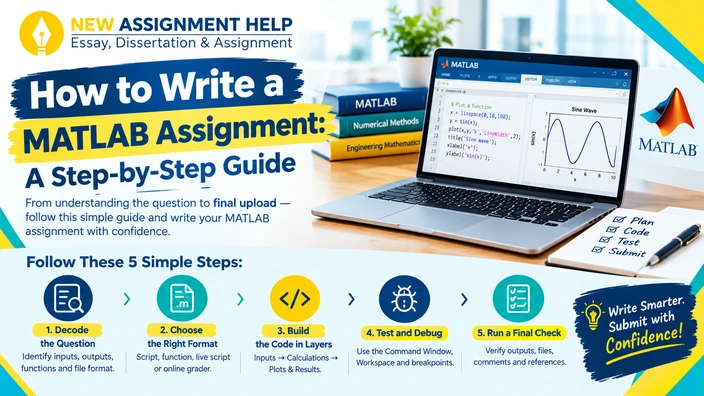
A blank MATLAB editor can make any student pause because you might have a question sheet and a deadline but still have no idea where to type first. This is very common among Australian university students in engineering, maths and science courses every semester. But that doesn’t mean this can’t be sorted out. To write a MATLAB assignment like a pro, all you need is a step-by-step guide. When you have a workmap, most of this stress is removed. So, here is a simple path you can follow from the first read to the final upload.
Step 1: Decode the MATLAB Question First
Read the task twice before you open the software. Pick out the required outputs, input values, function names, and file names. Underline the words that name your data. Circle the verbs that name your tasks, such as plot, compare, or estimate. Then write one plain sentence for each part. This turns a long problem into a short list.
Next, check the format. Your unit may want a standard script saved as an .m file. Some units use MATLAB Grader, which tests your answer against hidden cases. Each format needs a slightly different approach. Therefore, check the rubric as well, as it shows where most of the marks sit.
Moving on, draw a few boxes and arrows. List what goes in, what happens next, and what comes out. Solve a tiny version using easy numbers like 2 and 10. That result becomes your target when you test the code later. Once the logic is clear, check what type of file your unit expects.
Step 2: Choose the Right Format
MATLAB units ask for different submissions. The table below shows what each type usually needs from you and where you should pay the most attention.
| Submission Type | What it usually needs | Where to focus |
|---|---|---|
| Script (.m) | Runs top to bottom and shows results | Section breaks, comments, labelled plots |
| Function file | Takes inputs and returns outputs | Exact name, argument order, return values |
| Live Script | Code, output, and text in one place | Short notes besides each result |
| Online grader | Passes hidden test cases | Odd inputs such as zero, negatives, or empty arrays |
Check your unit guide to see which row applies to your MATLAB assignment. Once your format is confirmed, save the file with a sensible name. Use letters, numbers, and underscores only, and start with a letter. A name like week3_beam_analysis.m works well as it avoids spaces and hyphens, which may cause errors. Also skip names that match built-in commands, such as sum or plot, because MATLAB may run the wrong one. After a tidy setup, the coding stage becomes much smoother.
Step 3: Build the Code in Layers
Think of your script as a stack. Put inputs and constants at the top, with the calculations in the middle and plots and printed results at the bottom. Run the file after each layer to be sure at every step. Begin the script with a fresh workspace because old variables can create answers that look right but are wrong. Choose variable names that describe their meaning, such as 'heatLoss' or 'finalSpeed'. A few more habits can keep the code readable:
- Place a semicolon at the end of a line to hide extra output.
- Turn repeated steps into small functions.
- Use array operations when they replace a long loop.
- Add a short comment above every major step.
Clean layers make problems easier to spot. Even then, bugs will still show up, so let’s learn how to track them down.
Step 4: Test and Debug
Do not write the whole programme in one go; instead, test each line in the Command Window. The Workspace window shows what every variable holds. Breakpoints let you pause the script and step through it line by line. Read each error message too, since it names the line and the problem. The table below lists mistakes students often make.
| Error Message | Likely Cause | Quick Fix |
|---|---|---|
| Undefined function or variable | Typo or wrong run order | Check spelling and run earlier sections first |
| Matrix dimensions must agree | Mismatched sizes | Check size() and try .* for element-wise work |
| Index exceeds array bounds | Loop runs too far | Review loop limits, since MATLAB starts at 1 |
| Correct code, wrong answer | Logic or unit slip | Compare with a hand calculation |
Most problems land in one of these groups. Once your code runs, look at its speed. Nested for loops work, but they run slowly and look cluttered. Vectorisation applies an operation to a whole array at once. For example, y = x.^2 replaces a loop over every value. The code gets shorter and faster. With working code in hand, all you have to do now is run your work through the checklist given below.
Step 5: Run a Final Check
Use this short list before you upload, where each item takes about a minute.
- Restart MATLAB and run the full script from the top.
- Match file and function names to the brief.
- Confirm that every requested figure and value appears.
- Remove old code and stray notes from the comments.
- Cite any outside method or code in your university’s referencing style.
A calm final run catches most avoidable mistakes. Upload early so file issues do not eat into your deadline.
Conclusion
A MATLAB assignment feels easy when you have a clear routine to follow. Decode the question, plan on paper, build in layers, debug with patience, and explain every result. If a topic still feels unclear, MATLAB writing support from a subject tutor can add useful guidance. Keep your own understanding at the centre, and each task will get easier.