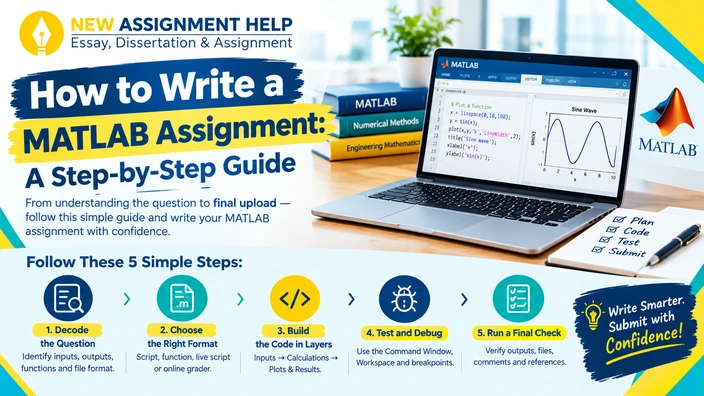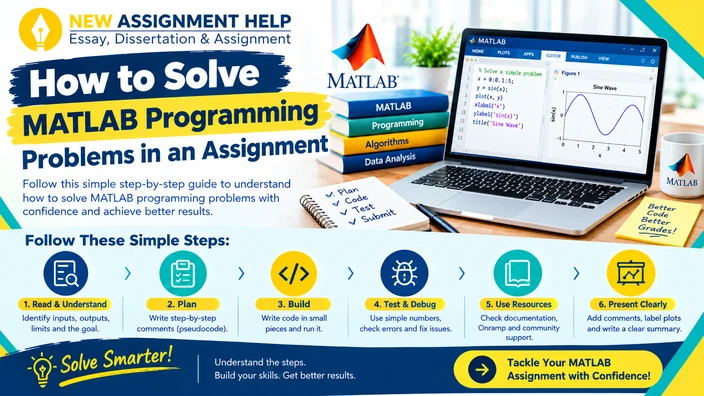
A blank MATLAB script can feel scary because you have no idea where to begin. MATLAB questions usually look long, and the maths looks tricky, but that should not stop you from getting an HD grade, right? So, what to do? First, you must know that most tasks in Australian engineering, maths and science units follow a similar pattern. And once you learn it, your MATLAB problems get easy to sort. This guide will show you how to solve MATLAB programming problems using simple steps. So, let’s not wait anymore and start with decoding the question itself.
Read the Question Like a Checklist
Do not type any code before reading the brief twice. Highlight the inputs, the outputs and any limits, such as units or step size. Pay attention to the marking rubric, as it will show you how the lecturer is going to award marks for comments, plots and clear variable names.
Then write one plain sentence that states your goal. For example: “Find where this function crosses zero between 0 and 5.” That sentence becomes your guide for the whole task. With the goal clear, it’s time to plan the assignment.
Plan Before You Code
Write your steps as comments at the top of the script. This is called pseudocode, and it looks something like this:
- Define the function
- Set the range
- Solve for the root
- Plot and label the result
Each comment turns into a block of code later. You stop jumping between ideas, and your marker can see how you think. Once the plan is in place, you can start building the code now.
Build the Code in Small Pieces
Write one block, run it, and check it. Then only move to the next one. Most first and second-year tasks use the same few building blocks:
- Vectors and matrices: store data and run calculations on whole arrays at once.
- Loops and conditions: use for while and if when a task repeats or needs a decision.
- Functions: keep repeated work in a function file so your main script stays tidy.
- Built-in tools: commands like fzero, polyfit and integral handle common maths jobs.
- Plots: plot, xlabel, ylabel and legend turn numbers into a clear picture.
You rarely need all of these at once. Pick only the pieces your task asks for.
Test Your Code With Simple Numbers
Run your code on inputs where you already know the answer. If a function should return 10 for an input of 5, test that first. Remove the semicolon at the end of a line to see its value in the Command Window. Breakpoints are also useful. Click beside a line number and MATLAB pauses there. You can then step through the code one line at a time and watch each variable change. This is the fastest way to find where a calculation goes wrong.
Some errors appear again and again. This table lists the usual ones, so you can spot them quickly and fix them right away.
| Error message | Likely cause | Quick check |
|---|---|---|
| Undefined function or variable | Typo, or the variable was never created | Check spelling and run order |
| Matrix dimensions must agree | Two arrays have different sizes | Use size() on both |
| Incorrect dimensions for matrix multiplication | * used where .* was needed | Switch to element-wise operators |
| Index exceeds array bounds | Loop runs past the last element | Check the loop limit with length() |
Most errors fall into these four groups. Read the red message slowly and note the line number it gives. After your code runs without errors, look at the output and ask if it makes sense. If the numbers look odd, a plot can show the problem fast. Sometimes you will still feel stuck, and that is where outside resources come in.
Use Documentation and Sources Wisely
Type doc followed by a function name to open its page. The examples at the bottom are often the quickest way to learn the syntax. MathWorks also offers a free MATLAB Onramp course, which covers the basics in a couple of hours. If you post a question on MATLAB Central, share your code and name the exact line causing trouble. People respond better to specific questions than vague ones.
Your tutor, lecturer or university learning centre can also give guidance during consultation times. You can also look up online MATLAB assistance services with your university’s academic integrity policy in mind. Write your own code and cite any source you adapt. Once the code works and you understand it, the final step is presentation.
Present Your Work Clearly
A working script is only half of the task. Add comments that explain why each block exists. Label every axis with units. Give each figure a short title that a reader can follow without the code. Before you submit, clear your workspace and run the whole script from the top. This confirms that it works from start to finish. Then write a short explanation of your results in plain language stating what the numbers mean along with any limits in your method.
Final Thoughts
MATLAB problems feel easier once you treat them as a series of small tasks. Read the question, plan the steps, build in pieces, test often and present clearly. Steady practice and a little MATLAB assignment writing support when the report side gets tricky can make each assignment feel more manageable. Try the above workflow on your next problem and see how much smoother it runs.