Python Assignment Guide for Beginners: From Basics to Problem Solving
Ten minutes pass by while the cursor is still blinking in an empty file. You're constantly staring at the question without knowing where and how to begin. If this sounds familiar, know that you're in a Python loop. It's a missing-process problem, and almost nobody teaches you how to fix it.
Most guides and even your tutors just hand you a list of exercises to copy. That's fine as an answer key, but the moment you're handed a brand new question, it all seems useless. At such times, you need a guide that can give you a foolproof process you can run every time. This guide is here to give you exactly that step-by-step process that you can understand and use effectively on your own. By the end of this, hopefully you will become the kind of beginner who knows how to break through that loop and get the code working.
What Is a Python Assignment, Really?
A Python assignment is just a small test of your logic. It gives you some information, asks for a result, and checks if your code can get there. That's it. It's not a test of memory. You don't need to remember every function by heart. You need to know how to break a problem down.
Most simple assignments, like a calculator or a grading script, should take you 15 to 40 minutes once you know the basics. If it's taking hours, the problem usually isn't your ability but your approach. Slow down and follow the steps below instead of guessing.
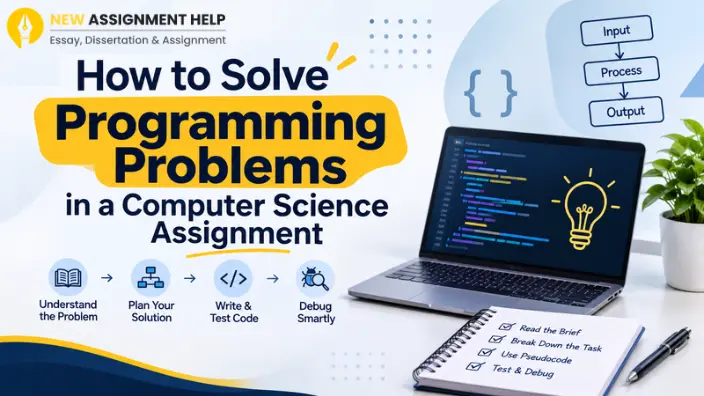
A Python assignment is just one example of how programming is taught. Whether you're working on Python, Java, C++, or another language, most programming assignments follow the same pattern: understand the problem, design the logic, write the code, and test the solution.
Step 1: Read the Question Twice Before You Touch the Keyboard
This sounds too simple to matter, but it's the step most beginners skip. Read the question once for the general idea. Then read it again and write down, in your own words, what it's actually asking.
If you don't fully understand the question, don't panic and don't start typing. Ask yourself three things instead:
- What information am I given?
- What am I supposed to produce?
- What's the simplest possible version of this problem?
Solve that simple version first. You can always add more detail later.
Step 2: Figure Out the Input and the Output
Every Python assignment has both of these. Therefore, getting clear on this before writing a single line of code is very important. Write down what the input looks like (a number, a word, a list) and what the output should look like.
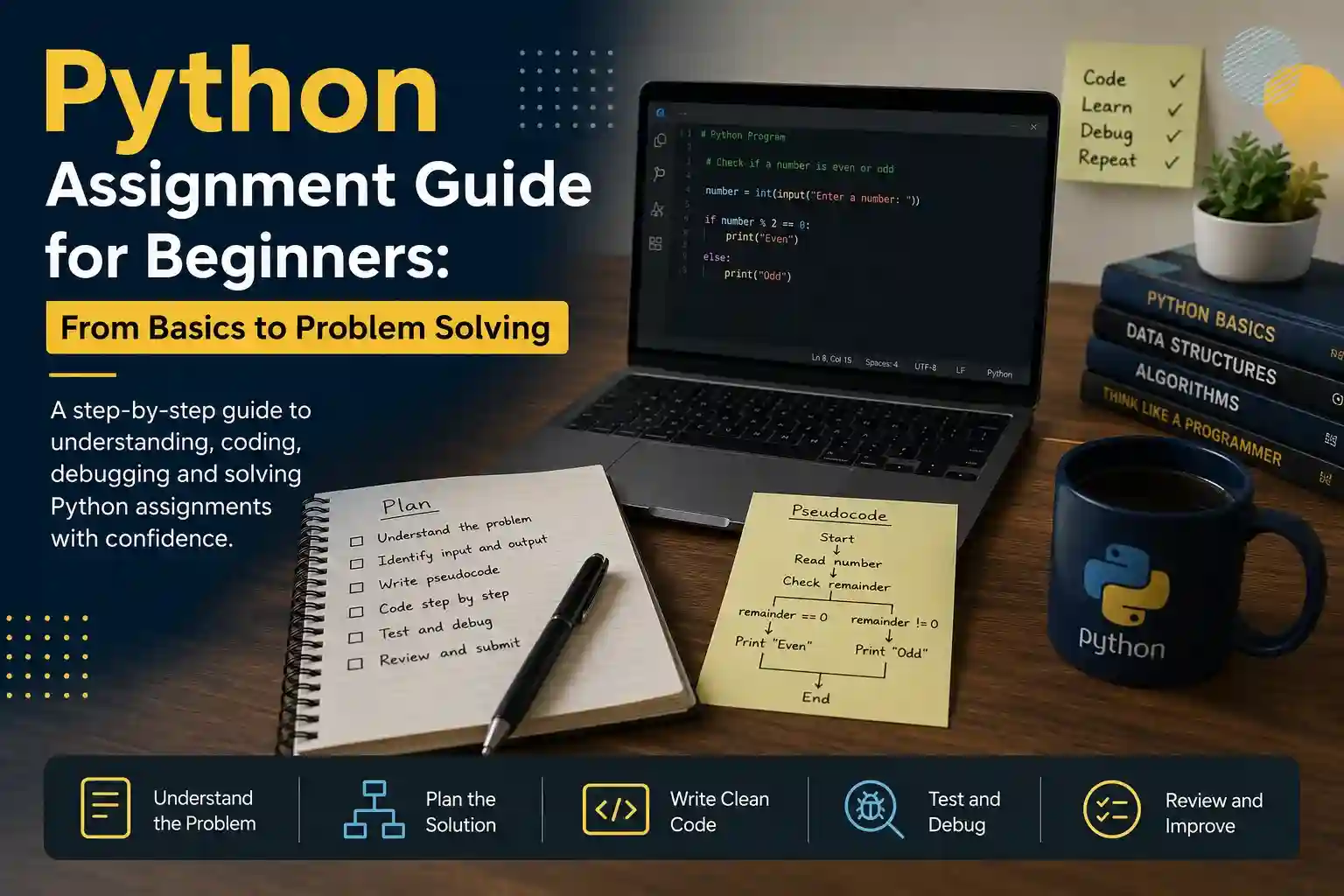
For example, if the task is "check if a number is even or odd", your input is one number. Your output is the word "even" or "odd". Once you can say that in plain English, the code becomes much easier to write, because you already know what you're building toward.
Step 3: Bring in the Pseudocode
This is about writing your coding steps in plain english like a draft. This is the single biggest thing missing from most beginner guides. But this will actually help you build your foundation.
Let's take up the above 'even or odd' example again. If you need to write a pseudocode for this, it might look like this:
- Get a number from the user
- Divide it by 2 and check the remainder
- If the remainder is 0, say "even"
- Otherwise, say "odd"
Now you're not wasting time figuring out logic and Python together. You now already have a plan and your coding will become just the next step for this translation, not an invention to be figured out from scratch.
Step 4: Turn Your Plain English Into Code, One Line at a Time
Take each line of your pseudocode and turn it into one line of Python. Don't write the whole thing at once. Write one piece, run it, check it works, then move to the next piece.
Python
number = int(input("Enter a number: "))
if number % 2 == 0:
print("Even")
else:
print("Odd")
Notice how closely this matches the plain English plan. That's the goal every time. If your code doesn't match your plan, that's usually where the bug is hiding.
Step 5: Test It Like You're Trying to Break It
Beginners often test their code once, see it work, and move on. Real testing means trying to break your own program. Try zero. Try a negative number. Try a huge number. Try nothing at all, if the code allows it.
This is where most marks get lost on real assignments. A working answer for one input isn't the same as a correct answer for every input. Testing edge cases like these is what separates code that works from code that has actual potential.
Python Error Messages and What to Do About Them
Code errors aren't something that needs to be worried about. Take them as correcting feedback rather than a sign of something wrong. They're Python's way of pointing at the exact line that needs fixing so that you make the best out of your code. Let's learn about the most common ones and what they're trying to tell.
- SyntaxError occurs when you've broken a basic rule, like a missing colon or bracket.
- IndentationError is trying to tell you that you've done incorrect spacing somewhere. Since Python pays keen attention to this, never mix tabs and spaces.
- NameError means you used a variable before creating it, often due to a typo.
- TypeError appears when you've mixed up data types that don't work together, like adding text and numbers directly.
When you get stuck in any of these, try copying the last line of the error message into Google along with the word "Python". Someone has almost always hit the same error before you and what could be better than learning from others' mistakes?
Is It Okay to Use ChatGPT for a Python Assignment?
It depends on how you use it. Asking an AI tool to explain an error message, or to check your logic after you've already tried solving it yourself, is a reasonable way to learn. It's no different from asking a tutor for a hint.
It becomes a problem the moment you copy AI-generated code and submit it as your own work. Most Australian schools and universities treat that as academic misconduct. A better alternative to this is seeking online help with python assignment. The experts there will guide you better than any AI prompt. They will let you understand every aspect of your code that makes you a better coder, not just good with marks.
The Final Check for Your Code
Before you submit anything, run your entire Python code through this short checklist:
- Does it still work if someone enters a weird or unexpected value?
- Are my variable names clear, like total_price instead of x?
- Did I add a short comment above any tricky logic?
- Is my spacing consistent throughout the file?
If all of this gets checked by without a second thought, your code is ready to submit. But before that, it's useful to know what common mistakes still prevail to avoid those in the final check as well.
Common Python Mistakes Beginners Keep Making
A few mistakes that keep showing up again and again in beginner assignments are:
- Mixing tabs and spaces
- Skipping edge case testing
- Overcomplicating a problem that has a simple answer
- Copying a solution from a forum without understanding why it works, which leaves you stuck the next time a similar question shows up
The fix for all of these remains the same. Slow down, write your plan in plain English first, and build your code one small piece at a time.
Where to Go From Here
Once you start using these steps, your Python assignments will become easy to handle and the process more comfortable. You can measure your progress when you find yourself moving from "I can finish an assignment" to "I can build something." So, whether you're working through a school subject, a uni unit, or a bootcamp module, this guide can be your roadmap. In case you can't figure out the final error, seek New Assignment Help Australia where the Python experts can fix it for you. That's the one thing that takes a beginner Python assignment and changes it into an HD-grade submission.

 9 Years | M.Sc. Computer Science
.webp)