Top Excel Formulas Every Australian Accounting Student Must Know
As an Australian accounting student, you might relate to this scenario. So you have a lot of entries to make in your Excel, and just after a few of them, you start feeling exhausted. You wish for some magic tool or probably a formula to make your task easy. Has this ever happened to you? If yes, then you are at the right place. This blog is going to give you exactly that.
In here, we are going to learn some Accounting Excel formulas so that your next trial balance, budget report and payroll will feel lighter to manage. Once you get your hands on these, your spreadsheet entries will start getting faster, cleaner, and a lot less stressful.
Why Excel Skills Matter So Much in Accounting Assignments?
Excel isn't something additional for accounting students. It's the main tool used for almost every assignment. Be it a trial balance, depreciation schedule, budget, or calculation.
If you're aiming for CPA Australia or CA ANZ down the track, strong Excel skills also give you a head start. A lot of the financial reporting and management accounting subjects expect you to already know your way around formulas.
So is Excel important for accounting students? Absolutely, and the sooner you get comfortable with it, the easier every coursework assignment becomes.
Beginner-Friendly Excel Formulas to be Used in Accounting Assignments
If you're new to Excel, master these spreadsheet basics first. These will give you a head start to move ahead in your accounting journey.
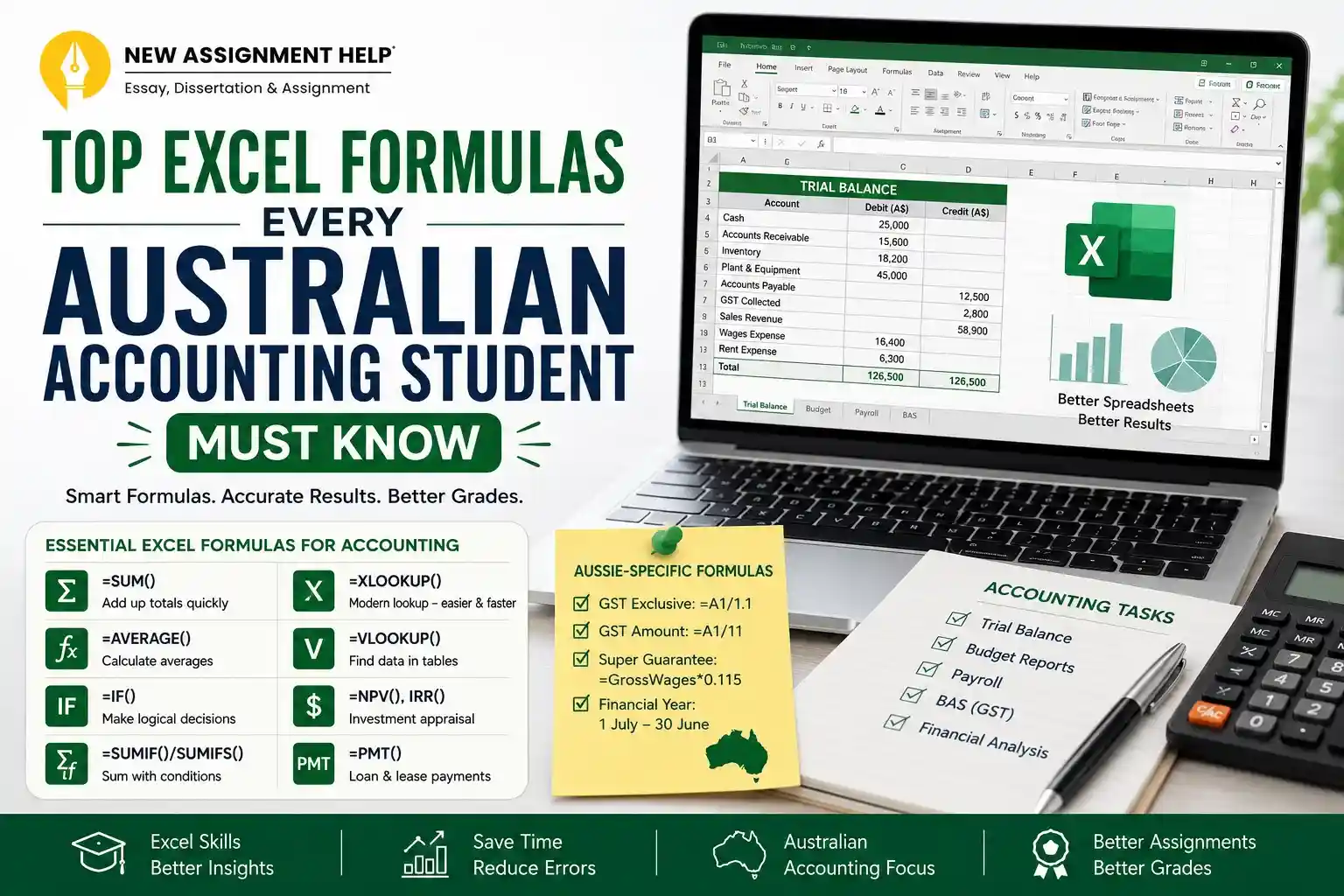
- SUM adds up a range of numbers. Type =SUM(A1:A10) and Excel adds everything in that range. These are used to total expenses or revenue columns in a trial balance.
- AVERAGE finds the mean. Useful for working out average monthly costs over a semester-long budget assignment.
- ROUND stops messy decimals from showing up. Type =ROUND(A1,2) to round a number to two decimal places. This matters a lot in Australia, since most figures need to match dollars and cents exactly.
- COUNT and COUNTA count cells. COUNT counts numbers, COUNTA counts anything that isn't blank. This is useful for counting transactions in a ledger.
Everyday Excel Formulas For Your Accounting Assignment
Once you've got the basics right, it's time to move on to the next set of formulas. These intermediate formulas are where most marks are won or lost, and therefore, every Australian accounting student must know these.
- IF is one of the most useful formulas you'll ever learn. It lets Excel make a decision. For example, =IF(A1>1000,"Over Budget","Within Budget") checks your value and gives a result based on it. These are extremely useful for budget variance reports.
- SUMIF and SUMIFS add up numbers, but only if they meet a condition. Say you want to total all sales from one department, then you'll use =SUMIF(B:B,"North",C:C) and it will be done in one go. And if you have multiple departments, you use SUMIFS.
- IFERROR wraps around other formulas to catch errors before they mess up with your results and start showing #N/A or #REF! messages. Lecturers notice messy spreadsheets, so =IFERROR(VLOOKUP(...), "Not Found") is a small thing that makes a big difference.
- VLOOKUP pulls data from another table. It's been the standard lookup formula for years. All you have to do is type '=VLOOKUP(lookup_value,table_array,column_number, FALSE)' and your Excel will find your matching row.
- XLOOKUP is the newer, easier version of the older VLOOKUP. It helps you search in all directions and saves you from counting columns manually. If you have computers that run Excel 365 or 2021, try using XLOOKUP as it's simpler and less likely to break in between.
If we talk about the difference between the two, VLOOKUP only searches left to right and needs a column number. Whereas XLOOKUP searches either direction and just needs the column you want the answer from. If you've got access to it, XLOOKUP is definitely a better and easier option, as many online accounting assignment assistance services choose it over the other.
Excel Formulas for Finance and Investment Assignments
If your course covers corporate finance and investment appraisal as well, you must know about these Excel formulas as well.
- NPV works out the net present value of a project. Basically, it helps you show whether an investment is worth it or not by analysing the time value of money. Type =NPV(rate,value1,value2...) but remember Excel's NPV starts from year one, so you'll need to add your year-zero cash flow separately.
- IRR finds the rate of return where NPV equals zero. Type =IRR(values) across your cash flow range to compare investment options.
- PMT can be useful for lease or loan assignments as it helps calculate loan repayments. =PMT(rate,nper,pv) gives you the regular payment amount.
The Aussie-Specific Excel Formulas Nobody Talks About
Here's where most guides fall short, as they are mostly written for the US or UK academics. They usually skip the formulas Australian students actually need.
- GST calculations show up constantly in BAS (Business Activity Statement) assignments. To find the GST-exclusive amount from a GST-inclusive figure, divide by 1.1: =A1/1.1. To find just the GST component, divide by 11: =A1/11. These two formulas alone will save most of your accounting assignments in Australia.
- Superannuation guarantee calculations are common in Australian payroll tasks. The current SG rate is 11.5%, rising to 12% from 1 July 2025. So a basic formula looks like =GrossWages*0.115, but always check your assignment brief, since the rate can change each financial year.
- The Australian financial year runs from 1 July to 30 June, not January to December. This matters when you're using EOMONTH or EDATE for depreciation schedules. Let's say your assignment starts mid-financial year then your date formulas must reflect that.
Common Errors And Their Quick Fixes
As an accounting student in Australian universities, you must have run into one of these hurdles at some point in your coursework:
- #N/A usually means VLOOKUP can't find a match. At this point, try checking for extra spaces or spelling differences.
- If you see #REF! it means a formula is pointing to a cell that's been deleted. Fix it by redoing the reference to point at the correct cell or range.
- When #VALUE! An error pops up. Solve it by removing any stray letters, spaces, or symbols from the cell.
- #DIV/0! happens when you divide by zero. You can wrap the formula in IFERROR, like =IFERROR(A1/B1,0), and your issue will be solved.
These are some of the proven strategies by the New assignment help experts. When you learn this, you can avoid the errors and save your grades.
Final Thoughts
If you're just starting, learn SUM, IF, and SUMIF first, as they are used in most of the basic accounting tasks. Then, gradually move on to VLOOKUP or XLOOKUP. Then, if your course covers finance and investment topics as well, learn NPV, IRR, and PMT as well. If you're studying in Australia, you must never skip the GST and superannuation formulas.
Excel gets easier with practice. The more assignments you work through, the more these formulas become easier to use. And if you're ever stuck on a tricky spreadsheet task with a deadline closing in, getting some additional support from New Assignment Help experts can take the pressure off. Sometimes a second pair of eyes is all you need to spot where a formula is going wrong.

 10 Years | Ph.D. in Financial Accounting